Platform support read from vendor sites, October 2026

Rental Property Software for Mac
Native Apps vs Browser Tools

Search for landlord software on a Mac and almost everything you find is a website. That is fine until you want your books offline, in a file you control, without a monthly login to someone else's server. Here are the four kinds of rental software a Mac owner can use, what each trades away, and where SealedFolio fits.

Short answer: browser platforms work on any Mac; native Mac apps keep the data on the Mac

If you need online rent collection, tenant screening and listings, a browser platform such as TurboTenant, RentRedi, Avail or Baselane is the practical choice, and it runs on a Mac like any website. If what you need is bookkeeping, tax reports and portfolio analytics, and you would rather the data stayed on your own machine, a native desktop app is the better fit.

SealedFolio is a native app for macOS (Apple silicon and Intel) and Windows. It keeps rental books, receipts and leases in an encrypted database on your computer and produces Schedule E, T776 and financial reports. It does not collect rent or screen tenants.

Four ways to run rental software on a Mac

OptionExamplesWhere your data livesWorks offlineBest for
Browser platformStessa, Baselane, TurboTenant, RentRedi, Avail, Buildium, AppFolioVendor's serversNoRent collection, screening, listings, managing for others
Native Mac desktop appSealedFolioYour Mac, encryptedYesOwner bookkeeping, tax reports, private records
Windows desktop program in a virtual machineOlder Windows-only landlord programsYour computerYesOwners already invested in one Windows tool
SpreadsheetNumbers, Excel, Google SheetsYour Mac or GoogleNumbers and Excel: yesOne or two properties, comfortable with formulas

For detailed reviews of the browser platforms, see the best rental property software guide. For the spreadsheet route, the SealedFolio vs Excel comparison covers what you gain and lose.

Questions to ask before picking rental software for your Mac

  1. Do you need tenant-facing features? Online rent payments and screening require a service in the middle, so they are browser platforms by nature. Many owners pair one of those with a separate books app.
  2. Where should the financial records live? A browser platform stores your income, expenses, bank links and documents on its servers. A native app stores them on the Mac, and they go with you if you stop paying for any web service.
  3. Is it really a Mac app? A "Mac version" can mean a website wrapped in a window. A native app opens without a connection and keeps working on a plane.
  4. Does it produce your tax forms? Look for per-property Schedule E output, and T776 if you own in Canada.
  5. How is it priced as you grow? Per-unit pricing climbs with every door. The scalable rental software cost table shows the curve for nine tools.

Example: moving four rentals from a spreadsheet to a Mac app
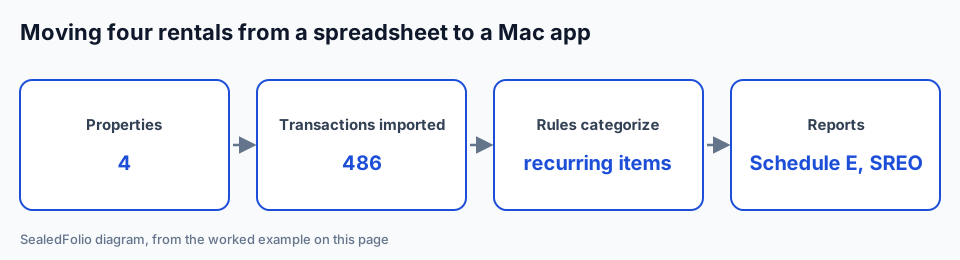
Diagram of moving four rental properties and 486 transactions from a spreadsheet into rental property software on a Mac
Moving four rentals from a spreadsheet to a Mac app. Diagram by SealedFolio.
  1. Add the properties. A single-family home bought for $265,000, a $410,000 duplex, a $185,000 condo and a $320,000 triplex, each with its purchase date, loan balance and current rent. Four properties means the Portfolio plan.
  2. Import last year's bank activity. Portfolio's bulk file import takes a 12-month CSV, OFX, QFX or QIF export, here 486 transactions from the rental checking account, with the date, description and amount columns mapped once.
  3. Let the rules categorize. Keyword rules file the recurring items (insurance, property tax, utilities, the mortgage) and leave the one-off repairs to review, so only the remainder needs a property and category by hand.
  4. Run the reports. Schedule E for each of the 4 properties, an income statement for the portfolio, a rent roll and an SREO, all on the Mac with no account on a web service.

With 3 properties or fewer, the Pro plan covers the same books and tax reports; transactions are entered in the app rather than bulk imported from bank files.

What SealedFolio does on a Mac

What it does not do: collect rent online, screen tenants, publish listings or run an owner portal for a management company. If you need those, keep a browser platform for them. Read more on the local property management software page.

Rental books that live on your Mac

SealedFolio Pro is $19 a month or $179 a year for up to 3 properties. Portfolio is $39 a month or $297 a year for unlimited properties. Both come with a 30-day money-back guarantee.

See SealedFolio pricing

Rental property software for Mac: frequently asked questions

Is there rental property software that runs natively on a Mac?

Yes. Most landlord platforms (Stessa, Baselane, TurboTenant, RentRedi, Buildium, AppFolio) run in a browser, which works on a Mac but keeps your data on their servers. SealedFolio is a native desktop app for macOS and Windows that keeps the books on your computer.

Can I run Windows-only landlord software on a Mac?

Older desktop programs built only for Windows need a Windows virtual machine on a Mac, such as Parallels on Apple silicon. That works, but you pay for and maintain a copy of Windows just for one program.

Does SealedFolio work on Apple silicon Macs?

SealedFolio is built for both Mac architectures, Apple silicon and Intel, and is Developer ID signed and notarized by Apple. Updates arrive through the app's own Check for Updates.

Can I use SealedFolio on a Mac and a Windows PC?

Yes. A Pro licence activates on 2 computers and a Portfolio licence on 3, and those can be any mix of Mac and Windows.

Does SealedFolio need an internet connection on a Mac?

No for day-to-day work: your records live in an encrypted database on the Mac. You need a connection to buy and activate the licence, download updates, and use optional bank connections.